.png)

To stop sharing your account data and transactions with a business application, navigate to the Shared With section on your dashboard.
Then, under the Operation column, click on the appropriate button based on whether you want to remove the entire connection or stop sharing specific accounts.

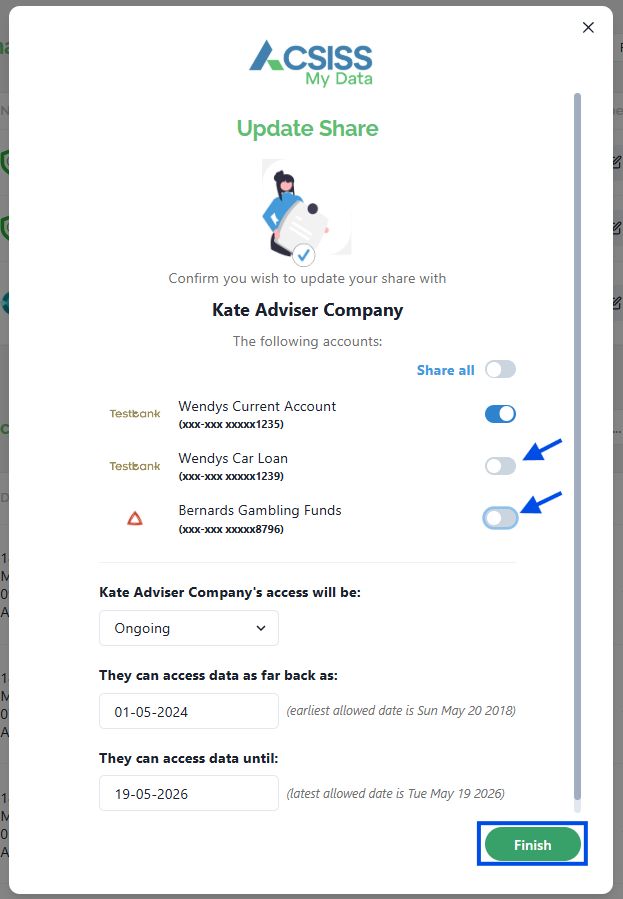
If you need to stop sharing specific accounts, click on the pencil icon.
Then, toggle off the accounts you wish to stop sharing and click Save.
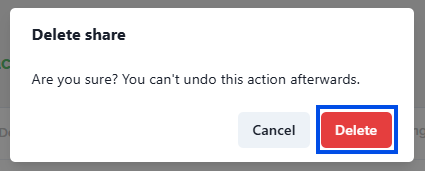
If you wish to stop sharing all of your accounts, click on the trash icon instead.
This will prompt a confirmation dialogue to ensure that you want to proceed with the removal. To confirm the removal, click Delete
Your data is no longer being shared with the business application.
Data is still being shared with ACSISS. To cancel this share, follow these steps - Disconnect your bank account from ACSISS